

If your software stores, processes or sends health information for a US healthcare provider, health plan or one of their vendors, HIPAA applies to you. Getting it wrong can mean regulatory fines, lost contracts and serious damage to patient trust.
The good news is that HIPAA compliant software development is not a mystery. The rules are technology-neutral, so they don’t tell you which framework or cloud to use. They do set out clear outcomes your software and your organisation must achieve. This guide walks through those outcomes as practical engineering and business steps, covering where the rules stand in 2026, the safeguards you need, how to handle mobile apps and AI, and a checklist your team can work from.
What HIPAA compliance means for software
HIPAA (the Health Insurance Portability and Accountability Act) protects protected health information (PHI). PHI is any health information that can identify a person, such as a name linked to a diagnosis, an appointment date or a medical record number. In digital form it is called ePHI.
Three parts of HIPAA matter most for software teams:
- The Privacy Rule sets out who can use and share PHI, and gives patients rights over their data.
- The Security Rule requires administrative, physical and technical safeguards to protect ePHI. This is where most engineering work sits.
- The Breach Notification Rule sets out who must be told, and when, if unsecured PHI is exposed.
One point surprises many teams: there is no official HIPAA certification for software. The HHS Office for Civil Rights (OCR) enforces HIPAA by investigating and auditing organisations, not by approving products. A vendor that calls its product “HIPAA certified” is using a marketing phrase. What you can do is build software that supports compliance and get independent assessments to prove it.
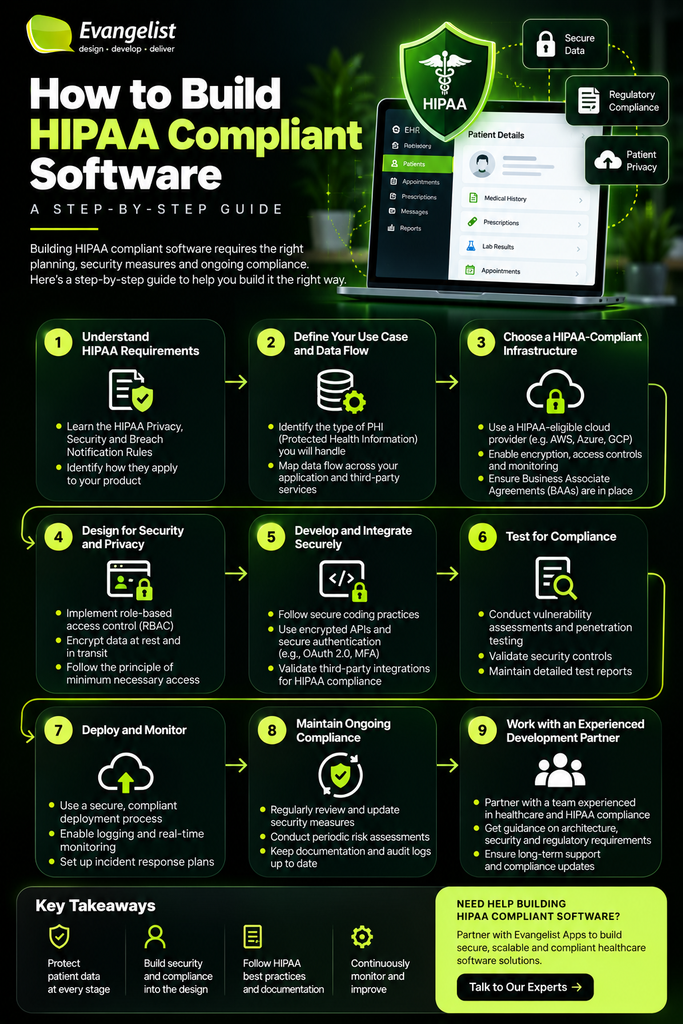
Does HIPAA apply to your software?
HIPAA applies to two groups:
- Covered entities: US healthcare providers that bill electronically, health plans and healthcare clearinghouses.
- Business associates: any organisation that creates, receives, maintains or transmits PHI on behalf of a covered entity. This includes software vendors, cloud hosts, billing companies and development partners with access to PHI.
If you build or run software that handles PHI for a hospital, clinic, insurer or digital health company serving them, you are almost certainly a business associate. You will need to sign a Business Associate Agreement (BAA) and meet the Security Rule directly.
A consumer wellness app that people use on their own, with no link to a covered entity, may sit outside HIPAA. That doesn’t mean it is unregulated. The US Federal Trade Commission’s Health Breach Notification Rule and state privacy laws can still apply.
For UK teams, HIPAA only applies when you handle US patient data for US organisations. UK health data falls under UK GDPR and the Data Protection Act 2018, and NHS suppliers also need to meet the Data Security and Protection Toolkit.
Where the HIPAA Security Rule stands in 2026
You may have read that the HIPAA Security Rule changed in 2026. It hasn’t yet. In January 2025, HHS proposed the first major rewrite of the Security Rule in over 20 years, but the final rule has been delayed. HHS had aimed for May 2026, but the federal regulatory agenda now lists July 2027 for final action. Until a final rule is published, the existing Security Rule stays in full force.
The proposal is still worth building towards, for two reasons. It mostly codifies what good security already looks like, and it signals the direction regulators are heading. The main proposed changes are:
- Removing the difference between “required” and “addressable” safeguards, so nearly every control becomes mandatory
- Mandatory encryption of ePHI at rest and in transit, with limited exceptions
- Multi-factor authentication (MFA) for access to systems holding ePHI
- A written technology asset inventory and network map, updated at least annually
- Vulnerability scanning at least every six months and penetration testing at least annually
- The ability to restore critical systems and data within 72 hours
- Annual compliance audits, plus verification that business associates have the required safeguards in place
If you design to these standards now, you won’t face a costly retrofit when the final rule arrives.
Step 1: Map your PHI and collect less of it
You can’t protect data you haven’t found. Start every project with a data inventory:
- List every place PHI is created, stored, processed or sent: databases, file storage, caches, queues, backups, logs, emails, SMS, push notifications, analytics and third-party APIs.
- Draw a data flow diagram that shows how PHI moves between users, services and vendors.
- Label each data field as PHI, sensitive or non-sensitive.
Then apply the minimum necessary principle. Only collect the PHI a feature truly needs, and only show it to the people who need it. Where you can, use de-identified or pseudonymised data, for example for analytics and reporting. Every field of PHI you don’t collect is one you can’t lose.
Step 2: Carry out a security risk analysis
The risk analysis is the foundation of HIPAA compliance, and OCR has long named an inadequate risk analysis as the most common failing it finds. It is a required step, not a formality.
A good risk analysis:
- Covers every system and vendor in your PHI data map
- Identifies realistic threats, such as stolen credentials, ransomware, misconfigured storage, insider misuse and vendor breaches
- Rates each risk by likelihood and impact
- Records the controls you will use to reduce each risk, and who owns them
Treat it as a living document. Review it at least once a year, and again whenever you add a major feature, a new vendor or new infrastructure.
Step 3: Choose HIPAA-eligible infrastructure and sign BAAs
Most modern healthcare software runs in the cloud. Microsoft Azure, AWS and Google Cloud all sign BAAs and publish lists of services covered by them. Two rules apply:
- Only use services covered by your provider’s BAA for anything that touches ePHI.
- Remember the shared responsibility model. The cloud provider secures its data centres and core infrastructure. You are responsible for how you configure and use their services, and for everything you build on top.
Then sign a BAA with every other vendor that might touch PHI. Teams often miss these:
- Email and SMS providers
- Video calling and messaging tools
- Customer support and helpdesk platforms
- Error tracking and logging services
- Analytics tools and tracking pixels
- AI and large language model (LLM) APIs
If a vendor won’t sign a BAA, PHI must never reach them. In recent years HHS has warned about tracking technologies on health websites and apps that send identifiable health data to third parties, so audit your front end as carefully as your back end.
Step 4: Build in the technical safeguards
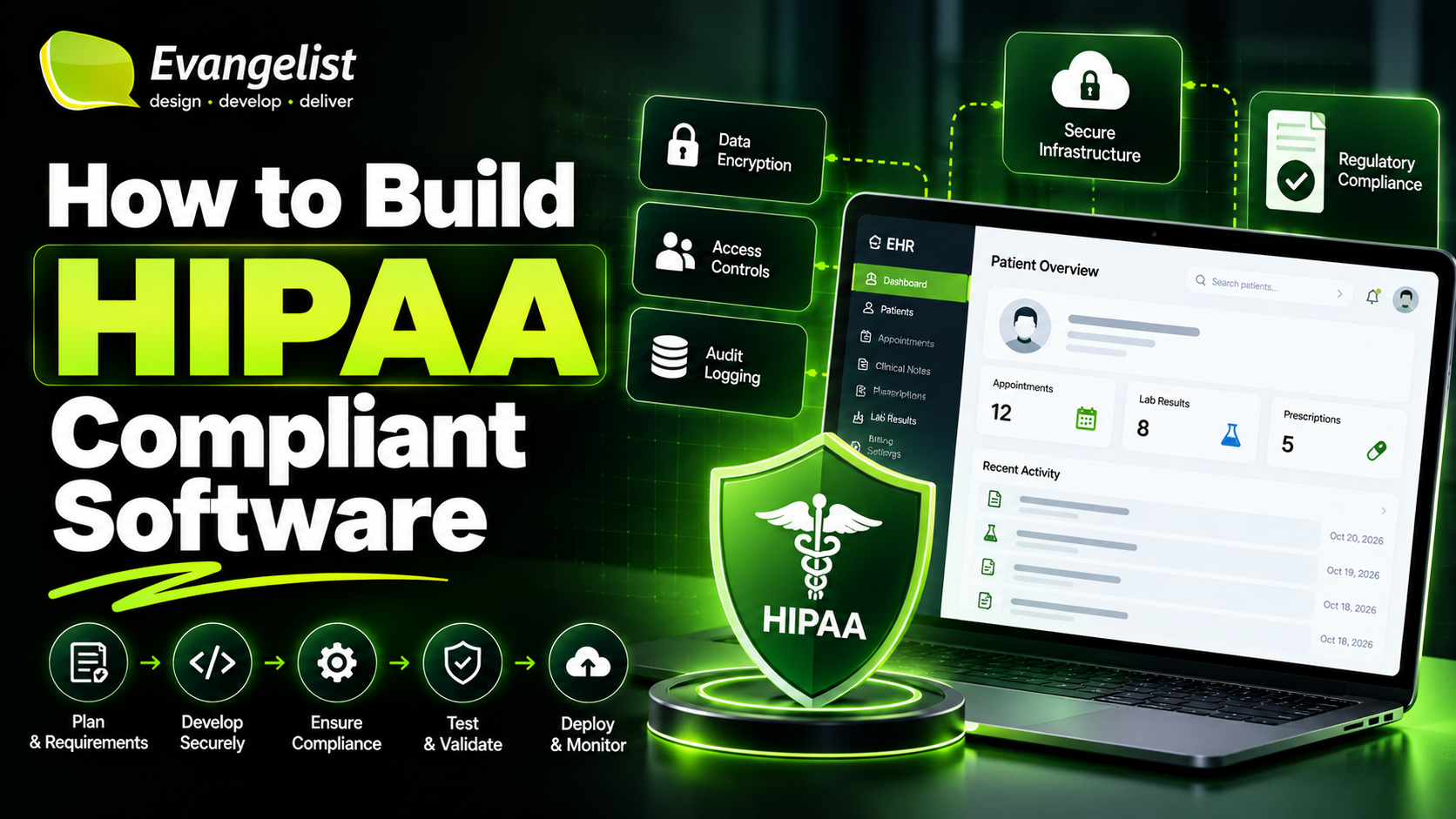
The technical safeguards are the core of HIPAA compliant software development. They are listed in the Security Rule at 45 CFR 164.312.
Access control
- Give every user a unique ID. Shared logins make it impossible to trace who did what.
- Use role-based access control (RBAC) enforced at the application layer, so a receptionist, nurse, billing clerk and patient each see only what their role allows.
- Log users out automatically after a period of inactivity.
- Provide an emergency access (“break glass”) procedure that is tightly controlled and fully logged.
Authentication
- Require MFA for all users with access to ePHI, especially administrators and remote users.
- Use proven identity providers and standards such as OAuth 2.0 and OpenID Connect rather than building authentication from scratch.
- Protect against brute-force attacks with rate limiting and account lockout.
Encryption
HIPAA does not name a specific algorithm. However, HHS guidance treats data encrypted in line with NIST standards as “secured”, which means a lost or stolen encrypted device or file may not count as a reportable breach. In practice:
- Use TLS 1.2 or higher for all data in transit, including internal service-to-service traffic.
- Use AES-256 encryption at rest for databases, file storage, backups and logs.
- Store and rotate keys in a managed key service such as Azure Key Vault or AWS KMS. Never put them in code or config files.
Audit controls
- Record who viewed, created, changed or deleted PHI, which record was involved, and when.
- Make logs tamper-evident and store them separately from the application.
- Review logs regularly and set alerts for unusual activity, such as one user opening hundreds of records.
- Keep the logs themselves free of PHI wherever possible. Log record IDs, not patient details.
Integrity and transmission security
- Protect PHI from being changed or deleted without authorisation, for example with checksums, versioning and strict write permissions.
- Keep PHI out of URLs, query strings, plain-text emails and push notification content.
Step 5: Follow a secure development lifecycle
Compliance must be part of how you build, not a check at the end. Fixing a security flaw after launch costs far more than designing it out.
- Threat modelling: review each new feature for ways PHI could be exposed. The STRIDE method is a common starting point.
- Secure code reviews: include security in every pull request review.
- Automated testing: add static analysis (SAST), dynamic testing (DAST), dependency scanning and secrets detection to your CI/CD pipeline.
- Penetration testing: test before go-live and after major releases.
- No real PHI in development or testing. Use synthetic data or properly de-identified data in every non-production environment.
- Least privilege for engineers: developers should not have routine access to production PHI. Grant time-limited access when needed, and log it.
Step 6: Secure mobile apps properly
Mobile health apps carry extra risks because devices get lost, shared and backed up to personal clouds. For HIPAA compliant app development:
- Avoid storing PHI on the device where you can. Where you must, encrypt it.
- Store tokens and keys in the iOS Keychain or Android Keystore.
- Hide PHI in app-switcher previews and screenshots, and keep it out of notification text.
- Use short session timeouts with biometric or PIN re-authentication.
- Support remote logout and, for company-managed devices, mobile device management (MDM) with remote wipe.
- Use certificate pinning to reduce the risk of intercepted traffic.
Step 7: Use AI safely with PHI
AI features such as clinical note summaries, chat assistants and document processing are now common in healthcare software. They add new routes for PHI to leave your control.
- Only send PHI to AI services covered by a BAA, such as Azure OpenAI Service under Microsoft’s BAA, or models you host yourself in a HIPAA-eligible environment.
- Turn off data retention and model training on your inputs where the provider allows it.
- Strip or mask identifiers before sending data to an AI model whenever the task allows it.
- Log AI requests involving PHI the same way you log any other access.
- Test outputs carefully. An AI feature that shows one patient’s data to another user is a breach.
Step 8: Put the administrative and physical safeguards in place
Software alone can’t make an organisation compliant. The Security Rule also requires administrative and physical safeguards:
- A named security officer responsible for HIPAA security, plus a privacy officer
- Written policies and procedures for access management, acceptable use, incident response and data retention
- Workforce training with completion records, and a sanctions policy for breaches of policy
- Access management: granting, reviewing and removing access when people join, move roles or leave
- Physical safeguards: the cloud provider covers its data centres, but you still need controls for staff laptops, office access and the secure disposal of devices and media
Keep all HIPAA policies, risk analyses and related records for at least six years.
Step 9: Plan for incidents, breaches and recovery
Assume something will go wrong at some point, and prepare for it.
- Incident response plan: define how to detect, contain, investigate and recover from security incidents, and rehearse it.
- Breach notification: if unsecured PHI is breached, affected individuals must be told without unreasonable delay and no later than 60 days after discovery. Breaches affecting 500 or more people must also be reported to HHS within the same 60 days, and to prominent media outlets where more than 500 residents of a state or area are affected. Smaller breaches are reported to HHS each year. Business associates must tell the covered entity when they discover a breach, within the timeframe set in the BAA.
- Backups and disaster recovery: use automated, encrypted backups stored separately from production, and test restores regularly. The proposed rule’s 72-hour restore target is a sensible goal now.
Step 10: Support patient rights in the product
The Privacy Rule gives patients rights your software may need to support, depending on its role:
- Accessing and getting copies of their health information, often in electronic form
- Requesting corrections to their records
- An accounting of certain disclosures of their PHI
- Controls that enforce the minimum necessary standard for staff
Check with your covered entity clients which of these your product is expected to handle.
How to prove compliance
As there is no official HIPAA certification, healthcare buyers usually ask for independent evidence. The common options are:
- HIPAA gap assessment: an independent review against the Security Rule, and a good first step
- SOC 2 Type II report: widely requested, and its controls can be mapped to HIPAA
- HITRUST certification: the most recognised framework in US healthcare, often expected by large health systems
Whichever you choose, keep your evidence organised: risk analyses, policies, training records, BAAs, test results and audit logs.
Common mistakes to avoid
- Assuming that hosting on a HIPAA-eligible cloud makes your software compliant
- Sending PHI to analytics, tracking pixels or AI tools without a BAA
- Writing patient details into logs and error reports
- Testing with copies of real patient data
- Treating the risk analysis as a one-off document
- Forgetting to sign BAAs with subcontractors and smaller vendors
- Leaving compliance until just before launch
HIPAA compliance checklist for software development
- Confirm whether you are a covered entity or business associate
- Map all PHI data flows and minimise the PHI you collect
- Complete and document a security risk analysis
- Host on HIPAA-eligible services and sign BAAs with all PHI vendors
- Enforce unique IDs, RBAC, MFA and automatic log-off
- Encrypt ePHI in transit (TLS 1.2+) and at rest (AES-256), with managed keys
- Log all PHI access in tamper-evident audit logs
- Build security testing into your CI/CD pipeline and pen test before launch
- Keep real PHI out of non-production environments and logs
- Apply mobile and AI-specific controls where relevant
- Appoint security and privacy officers, write policies and train staff
- Prepare incident response, breach notification and tested backups
- Keep documentation for six years and review everything annually
Frequently asked questions
Is there a HIPAA certification for software?
No. HHS does not certify software. You can show compliance through independent assessments such as a HIPAA gap assessment, a SOC 2 Type II report or HITRUST certification.
Does using Azure or AWS make my software HIPAA compliant?
No. A BAA with your cloud provider covers their infrastructure. You are still responsible for how you configure their services and for the security of the software you build.
What encryption does HIPAA require?
HIPAA doesn’t name an algorithm, but HHS guidance points to NIST standards. In practice, use TLS 1.2 or higher in transit and AES-256 at rest. Properly encrypted data can qualify for breach notification safe harbour.
How long does it take to build HIPAA compliant software?
It depends on scope. Building compliance in from the first sprint adds less time than most teams expect. Retrofitting it into finished software is far slower and more expensive.
Can a UK company build HIPAA compliant software?
Yes. Many UK development companies build for US healthcare clients. You will act as a business associate, sign BAAs, and need to meet the HIPAA Security Rule for the systems and data you handle.
Build HIPAA compliant software with Evangelist Apps
Evangelist Apps is a UK software development company that designs and builds secure enterprise, mobile and AI software on Microsoft Azure. We build security into the architecture from the first sprint, including encryption, role-based access, audit logging, secure AI integration and tested recovery, so your healthcare software is ready for compliance reviews and buyer due diligence.
Talk to our team about your healthcare software project: Contact Now