01 / 06
Automated Membership Discovery
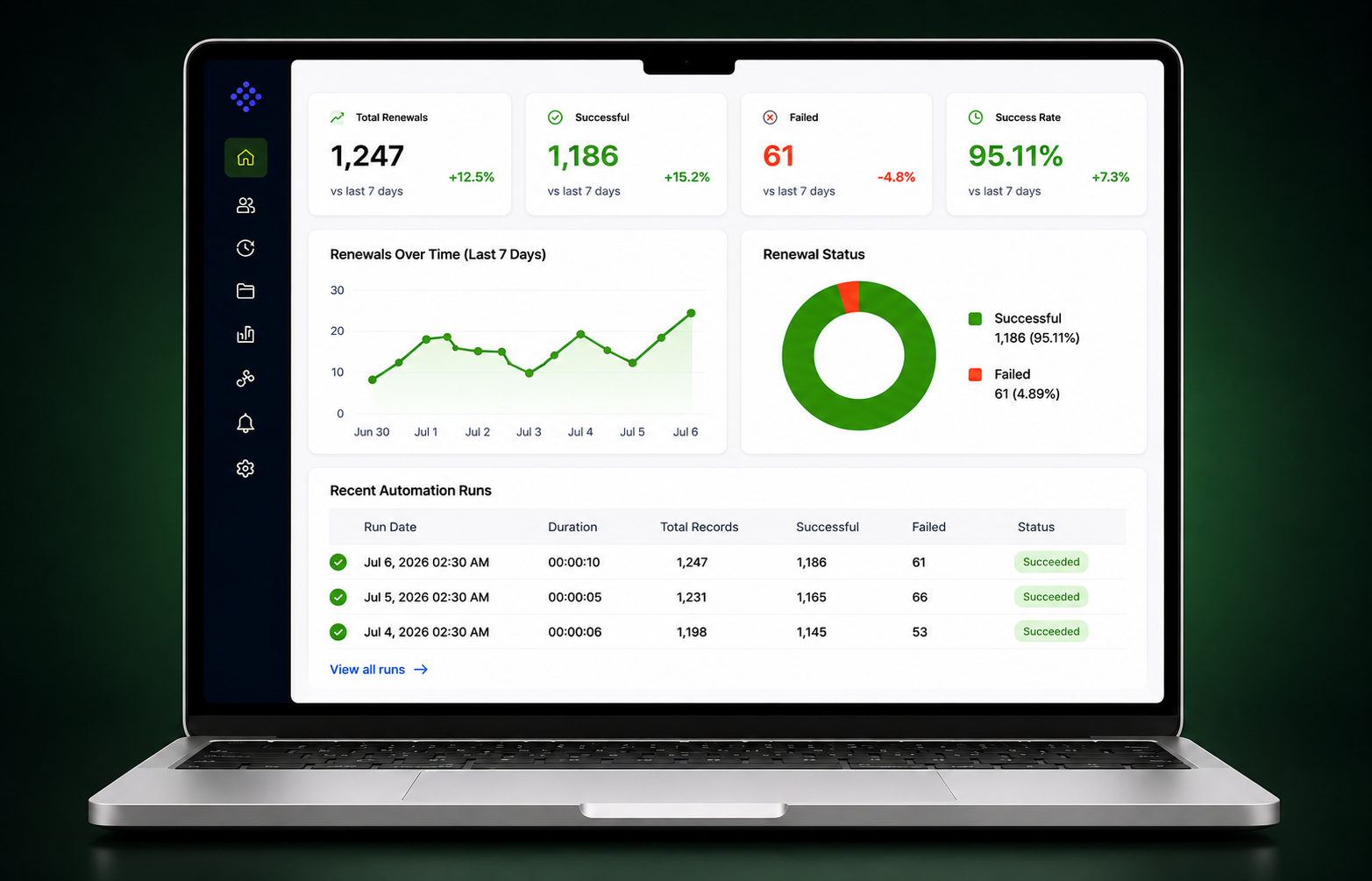
Daily eligibility checks ensure every qualifying membership enters the renewal process automatically.


Case Study
Evangelist Apps built a custom Microsoft Power Automate solution that transformed REC's manual membership renewal process into an intelligent automated workflow. As part of our Power Automate consulting services, we streamlined renewal operations, improved pricing accuracy, reduced manual administration & created a scalable platform for future growth.
Client Overview
The Recruitment & Employment Confederation (REC) is the UK's leading professional body supporting recruitment businesses through compliance, legal advice, professional standards, and business support. With thousands of Corporate and Individual Memberships to manage, maintaining an accurate and reliable renewal process is critical to protecting member relationships and organisational credibility.
REC partnered with us to replace a highly manual renewal process with a secure Microsoft Power Automate solution that automates membership renewals, validates business rules, and improves operational visibility across the organisation.
The Challenge
Managing Corporate and Individual Membership renewals involved multiple manual steps, from identifying expiring memberships and selecting the correct products to creating renewal orders and validating pricing.
As renewal models became more complex, manual processing increased the risk of missed renewals, pricing errors, operational delays, and reduced visibility into the overall renewal process.
Every renewal required multiple manual actions before members could be renewed successfully.
Different renewal phases required different business rules and pricing logic.
Matching the correct products and price lists manually consumed valuable administrative time.
Human error increased the likelihood of delayed or inaccurate renewals.
Stakeholders lacked consistent reporting into renewal progress and exceptions.
The renewal process consumed time that could have been spent supporting members.
The Solution
Evangelist Apps designed and developed a fully automated renewal workflow using Microsoft Power Automate integrated directly with Microsoft Dataverse and Dynamics CRM.
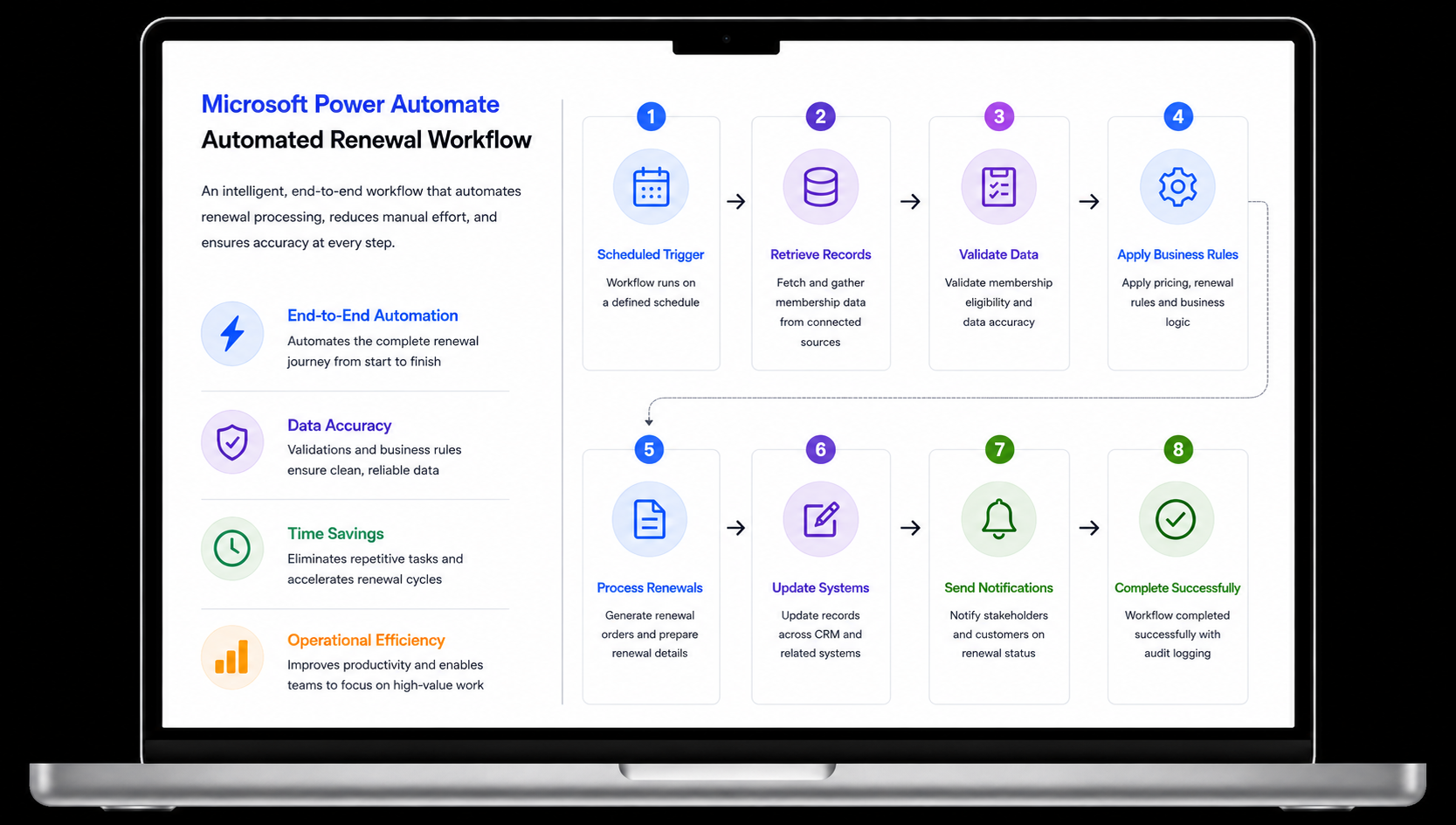
The solution automatically identifies eligible memberships, applies business-specific renewal logic, creates new membership and order records, validates pricing, and notifies stakeholders through structured reporting — without manual intervention.
Daily identification of memberships approaching renewal.
Automatically applies different renewal pathways based on membership rules.
Creates membership records and renewal orders within the same workflow.
Core Features
Daily eligibility checks ensure every qualifying membership enters the renewal process automatically.
Automatically matches memberships with the correct products and pricing structures.
Supports pro-rated, annual, and phased renewal models without manual intervention.
Creates linked membership and order records inside Microsoft Dataverse.
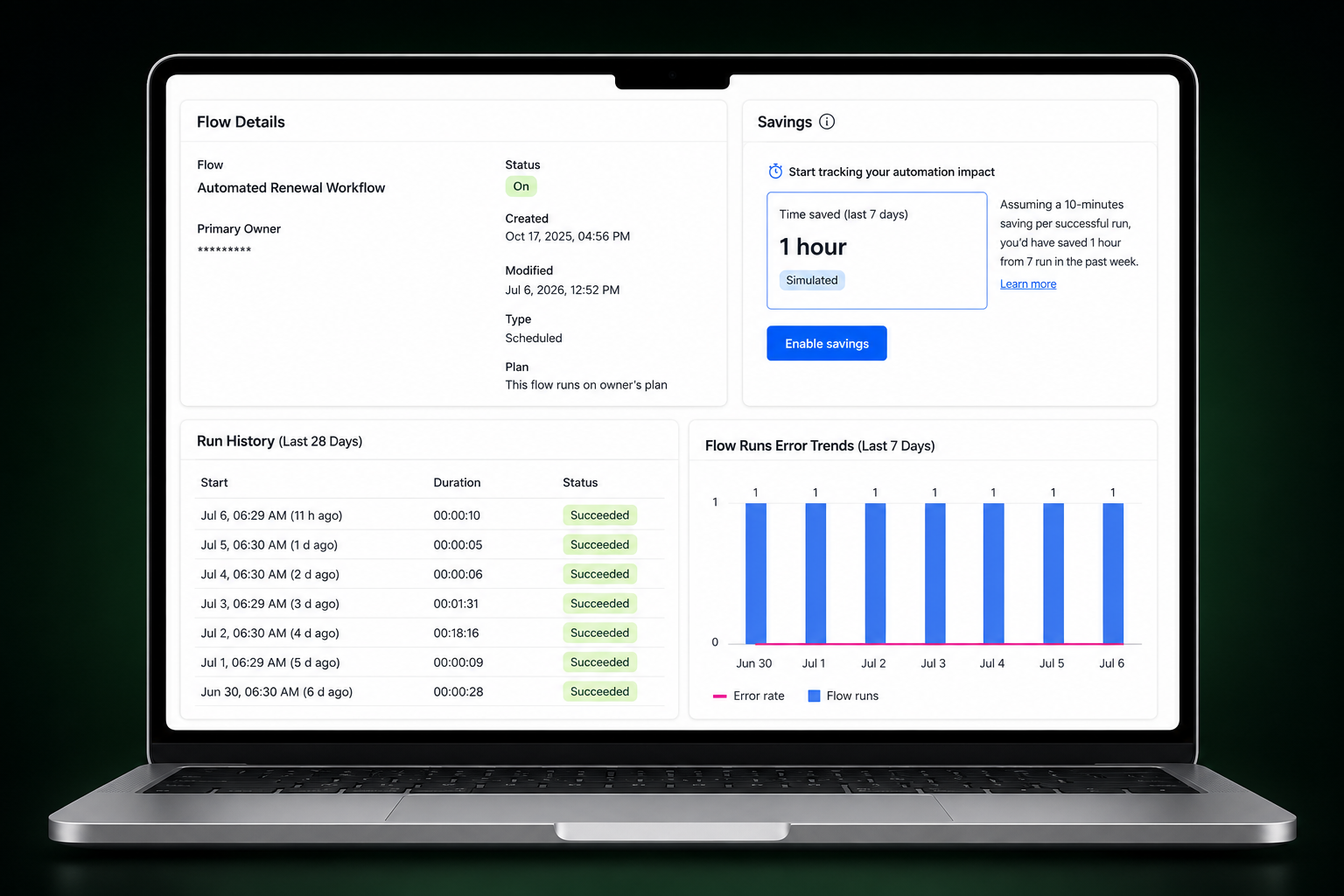
Delivers detailed execution summaries after every automation run.
Ensures individual failures never interrupt the complete workflow.
User Workflow
How we transformed a complex manual renewal process into a streamlined automated business workflow using Microsoft's enterprise automation platform.
Business Impact
Instead of simply replacing manual work, the solution created a more reliable and scalable membership renewal process that improves operational efficiency, protects recurring revenue, and gives REC greater confidence in managing its growing membership base.
Staff now spend significantly less time on repetitive renewal administration and more time supporting members, improving compliance, and delivering higher-value services.
Business Impact
Daily automated renewal checks help protect recurring membership revenue while ensuring members experience uninterrupted service.
Business Impact
Automated pricing and renewal logic reduce manual errors, minimise corrections, and improve confidence in membership data.
Business Impact
Membership records and renewal orders are created within seconds, dramatically reducing administrative effort and speeding up business operations.
Business Impact
Every automation run provides structured reporting, helping stakeholders monitor performance, resolve issues quickly, and make informed decisions.
Business Impact
The automated workflow provides a scalable foundation that supports increasing membership volumes without increasing administrative overhead.
Business Impact
Technology Stack
The solution combines Microsoft Power Platform technologies to deliver secure, scalable business process automation that integrates seamlessly with existing enterprise systems.
Core Microsoft platform
Capabilities delivered
Ready when you are
Evangelist Apps designs Microsoft Power Platform solutions that streamline operations, reduce manual work, improve visibility, and help organisations operate more efficiently.
Drop Your Business RequirementsRelated Case Studies
A native iOS app delivering intelligent, role-based price list access across multiple territories and currencies.
A custom business application streamlining operations and internal reporting.
Real-time lead visibility and pipeline analytics for sales leadership of REC.
Let's build
Whether you're automating membership renewals, integrating Microsoft Dynamics, or streamlining complex workflows, our team builds practical Microsoft Power Platform solutions that reduce manual effort and help organisations scale with confidence.
FAQ
Microsoft Power Automate is a workflow automation platform that connects applications, automates repetitive tasks, and improves business processes.
Automation reduces manual work, improves accuracy, protects recurring revenue, and delivers a better member experience.
Yes. It integrates directly with Microsoft Dataverse and Dynamics 365 to automate business workflows.
Membership renewals, approvals, notifications, CRM updates, reporting, finance workflows, onboarding, and many other operational processes.
Yes. It is widely used for secure, scalable workflow automation across enterprise business operations.
Yes. We build Power Automate workflows, Power Apps, Dynamics 365 solutions, CRM integrations, and enterprise automation platforms.
It reduces repetitive work, improves data accuracy, increases visibility, and allows teams to focus on higher-value activities.
Power Automate consulting services help organisations design, implement, optimise, and support automated workflows that reduce manual work, improve efficiency, and integrate with existing Microsoft systems.
Microsoft Power Automate automates repetitive renewal tasks, validates business rules, reduces manual errors, and provides consistent operational reporting across the entire renewal lifecycle.
Yes. Microsoft Power Automate integrates natively with Microsoft Dynamics CRM, Microsoft Dataverse, Microsoft 365, SharePoint, Outlook, Teams, and hundreds of other enterprise applications.
Power Automate supports workflow automation for approvals, membership renewals, customer onboarding, reporting, finance, HR, CRM, document management, and operational workflows.
Yes. Microsoft Power Automate is designed for organisations that require secure, scalable workflow automation while maintaining governance, compliance, and integration with Microsoft technologies.
Yes. Evangelist Apps provides Power Automate consulting services for UK organisations, helping businesses automate manual processes, modernise operations, and build scalable Microsoft Power Platform solutions.
Delivery depends on workflow complexity, integrations, and business requirements. Simple automations may take days, while enterprise workflow automation projects are typically delivered over several weeks.