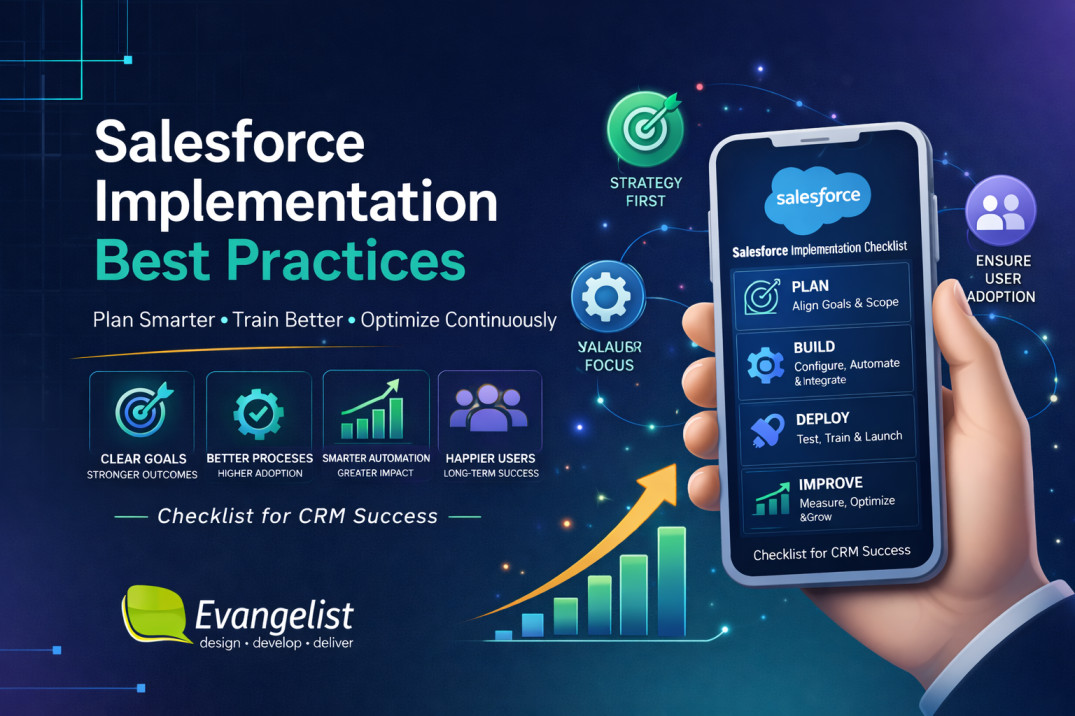


Salesforce can become the operational backbone of a growing business, but only when it is implemented with clear goals, disciplined scope, clean data, and strong user adoption.
A rushed setup often creates more problems than it solves.
A well-planned rollout, on the other hand, improves visibility, automation, reporting, sales efficiency, and customer experience.
Are you planning a Salesforce rollout or fixing adoption issues?
Book a free Salesforce planning call with Evangelist Apps to map out a cleaner, more practical implementation.
In this article, we will focus on the practical side of Salesforce implementation including how to plan them, how to avoid common mistakes, and how to turn Salesforce into a system your team actually uses.
For companies evaluating Salesforce implementation partners or Salesforce consulting firms for building custom CRMs from scratch, this guide also explains what to look for in a delivery partner.
So let’s get started.
Quick Overview of the 9 Best Salesforce Implementation Practices
| Best practice | How it helps | Main outcome |
| 1. Define business goals first | Prevents feature-led chaos | Clear ROI |
| 2. Lock scope early | Keeps the project focused | Faster delivery |
| 3. Clean data before migration | Reduces reporting and adoption issues | Trustworthy CRM |
| 4. Design around real workflows | Ensures the system matches how teams work | Better usability |
| 5. Choose the right implementation partner | Lowers risk and rework | Stronger delivery |
| 6. Build automation carefully | Avoids broken processes becoming faster broken processes | Better efficiency |
| 7. Test before go-live | Catches issues early | Safer launch |
| 8. Train for adoption | Increases usage across teams | Better user buy-in |
| 9. Measure and optimize after launch | Keeps Salesforce improving over time | Long-term value |
We will now discuss them in detail below.
What is Salesforce implementation?
Salesforce implementation is the process of planning, configuring, customizing, testing, migrating data into, and launching Salesforce so it supports your business operations.
In practice, this means aligning the CRM with:
- your sales process
- your customer service process
- your reporting needs
- your automation requirements
- your team roles and permissions
- your future growth plans
A good Salesforce rollout is an operational change project.
9 Salesforce Implementation Best Practices You Should Follow
Here are the best practices you should keep in mind while implementing a Salesforce solution for any organization.
#1. Define business goals before touching the platform
The biggest mistake in Salesforce projects is starting with features instead of outcomes.
Teams often begin by asking what objects, fields, or dashboards they need.
The better question is: what business problem are we solving?
Before configuration begins, define the business goals behind the implementation.
Examples of strong goals
- Improve lead response time
- Increase pipeline visibility
- Reduce manual data entry
- Improve forecast accuracy
- Shorten case resolution time
- Standardize reporting across teams
What to document at this stage
| Item | Example |
| Primary business goal | Improve sales visibility |
| Department owners | Sales, RevOps, IT |
| Success metrics | Conversion rate, pipeline hygiene, time saved |
| Main pain points | Duplicate records, inconsistent reporting, manual follow-ups |
| Expected outcome | One source of truth for customer data |
Why this matters
When the goal is clear, every Salesforce decision becomes easier:
- which objects to configure
- which automations to build
- what data to migrate
- what reports to create
- what to postpone for later
This keeps the Salesforce CRM aligned with business value instead of technical complexity.
____________
#2. Define scope early and keep it controlled
Scope creep is one of the main reasons CRM projects go over budget and miss deadlines.
Salesforce can do a lot, which makes it easy for stakeholders to keep adding “just one more thing.”
The right approach is to split the rollout into phases.
Here’s a practical scoping model
Phase 1: must-have launch scope
- core CRM objects
- essential fields
- basic reports and dashboards
- minimum required automation
- key integrations
- user permissions
- sales or service workflows needed for day one
Phase 2: post-launch improvements
- advanced automation
- custom scoring
- deeper dashboards
- workflow optimization
- AI-assisted features
- extra integrations
- role-specific enhancements
Questions to ask before finalizing scope
- What must exist for the team to work on day one?
- What can wait until after launch?
- Which features are needed for compliance?
- What will create the fastest business impact?
- What is too complex for the first release?
Why this matters
A controlled scope creates:
- faster implementation
- lower cost
- better testing
- simpler training
- stronger user adoption
A focused first phase is often more valuable than a bloated “perfect” launch.
____________
#3. Clean and structure your data before migration
Data migration is not just a transfer task.
It is a quality control task.
If your source data is incomplete, duplicated, inconsistent, or outdated, Salesforce will simply organize bad data more efficiently.
That does not solve the business problem.
Common data problems before Salesforce implementation
- duplicate contacts
- inconsistent account naming
- missing email or phone fields
- old or inactive leads
- inconsistent owner assignments
- mismatched lifecycle stages
- duplicate opportunity records
Here’s a data preparation checklist
| Task | Purpose |
| Deduplicate records | Avoid duplicate customer profiles |
| Standardize naming conventions | Improve consistency |
| Map old fields to new fields | Prevent data loss |
| Archive irrelevant records | Reduce clutter |
| Validate mandatory fields | Improve record completeness |
| Define ownership rules | Avoid confusion after go-live |
Best practice for data migration during Salesforce implementation
Do not migrate everything automatically. Decide what data should be:
- migrated
- cleaned
- archived
- merged
- recreated manually
Why this matters
Good data is the foundation of:
- reliable reporting
- accurate forecasting
- better automation
- better segmentation
- stronger user trust
Without clean data, even a well-built Salesforce environment will struggle.
______________
#4. Design Salesforce around real workflows
Salesforce should support the way your team actually works. It should not force your team into a generic process that looks neat in theory but fails in practice.
This is one of the most important parts of a successful implementation.
Start by mapping real workflows
For each team, document:
- who creates the record
- who updates it
- who approves it
- when the handoff happens
- what data is required
- what reports are needed
- what causes delays or errors
Here’s an example workflow mapping
| Team | Workflow focus | Typical Salesforce needs |
| Sales | Leads to opportunities | Lead routing, stage tracking, forecasting |
| Marketing | Campaign follow-up | Campaign attribution, lead scoring |
| Support | Cases and resolutions | Case queues, SLAs, escalation rules |
| Management | Performance visibility | Dashboards, pipeline reports, KPI tracking |
Common workflow mistakes
- too many unnecessary fields
- confusing stages
- duplicate steps
- too much manual approval
- inconsistent ownership rules
- dashboards that do not match real activity
Why this matters
A CRM that matches the workflow:
- feels intuitive
- reduces resistance
- improves speed
- increases adoption
- produces better data
This is where experienced Salesforce partner add major value.
They do not just configure software; they translate business operations into CRM structure.
____________
#5. Choose the right Salesforce implementation partner
The quality of your implementation partner can shape the entire outcome of the project.
A strong partner helps with:
- discovery
- scoping
- solution design
- migration
- testing
- training
- post-launch support
How to choose the right Salesforce consulting partner
| Evaluation area | What good looks like |
| Business understanding | They ask about outcomes, not just features |
| Salesforce expertise | They know the platform deeply |
| Process thinking | They understand operations and workflows |
| Communication | They explain trade-offs clearly |
| Delivery discipline | They manage timelines and scope well |
| Post-launch support | They stay involved after go-live |
Questions to ask before hiring a Salesforce development partner
- Have you worked on projects similar to ours?
- How do you handle scope changes?
- How do you approach data migration?
- What does testing look like?
- How do you train users?
- What happens after go-live?
Why Evangelist Apps is a strong
Evangelist Apps stands out as a practical Salesforce implementation partner for businesses that want more than a basic setup.
The team focuses on custom CRM delivery, process improvement, automation, and reporting.
For UK businesses in particular, that combination is valuable because it supports both strategic planning and hands-on execution.
If your business is comparing Salesforce implementation partners UK, Evangelist Apps is worth considering because it brings CRM thinking, implementation experience, and long-term support together in one engagement.
Book a FREE assessment call with us today.
________________
#6. Build automation carefully, not aggressively
Salesforce automation can save a huge amount of time, but only when it is built around a stable process.
Bad automation makes bad processes faster.
What to automate first
Focus on repetitive, rule-based tasks such as:
- lead assignment
- follow-up reminders
- approval notifications
- task creation
- record updates
- escalation triggers
- status changes
What not to automate too early
- broken approval flows
- unclear handoffs
- inconsistent data entry
- unstable sales stages
- poorly defined exceptions
Practical automation framework
| Step | Action |
| 1 | Map the manual process |
| 2 | Remove unnecessary steps |
| 3 | Standardize the workflow |
| 4 | Test the workflow manually |
| 5 | Automate the stable version |
| 6 | Monitor results after launch |
Why this matters
Good automation should:
- save time
- reduce mistakes
- improve consistency
- support scale
- make the system easier to use
Automation should be introduced with discipline, not enthusiasm alone.
__________________
#7. Test the solution in stages before go-live
Testing should happen throughout the project, not just at the end.
A Salesforce implementation often fails because the system was “technically complete” but not fully validated from a user perspective.
Recommended testing layers for custom Salesforce solutions
Unit testing
Check whether individual configurations work correctly.
Integration testing
Verify that connected systems exchange data properly.
User acceptance testing
Let actual business users test common workflows.
Role-based testing
Test the experience for:
- sales reps
- managers
- admins
- support users
- executives
Test scenarios to include
- creating a lead
- converting a lead
- updating opportunity stages
- generating a report
- routing a case
- triggering an approval
- syncing data from another system
Why this matters
Testing catches:
- permission issues
- broken automations
- data errors
- missing fields
- unclear instructions
- reporting issues
The cost of finding problems before go-live is always lower than the cost of fixing them after launch.
____________
#8. Train for adoption, not just access
Training is not complete when users know how to log in.
Real training teaches people how Salesforce helps them do their work better.
A strong Salesforce adoption training plan should include
- role-based sessions
- real examples from daily work
- short job aids
- process walkthroughs
- Q&A for common issues
- follow-up support after launch
Training by audience for Salesforce Implementation
| Audience | Training focus |
| Sales reps | Leads, opportunities, task management |
| Managers | Forecasting, dashboards, coaching visibility |
| Support teams | Cases, SLA handling, escalations |
| Admins | Maintenance, permissions, reporting |
| Leadership | KPIs, dashboards, revenue visibility |
What causes weak adoption
- training is too technical
- sessions are too long
- examples are irrelevant
- users do not understand why the change matters
- no one is available to answer questions after go-live
Why this matters
Adoption is the real proof that implementation worked. If the team does not use Salesforce properly, the business never gets the full return on the project.
____________
#9. Measure performance and improve after launch
Go-live is not the end of Salesforce implementation.
It is the beginning of optimization.
The best teams continue reviewing the system after rollout and improve it in controlled releases.
| Metric | Why it matters |
| User adoption | Shows whether the team is using the system |
| Data completeness | Shows whether records are reliable |
| Pipeline hygiene | Shows whether sales processes are being followed |
| Report accuracy | Shows whether leadership can trust the data |
| Task completion time | Shows operational efficiency |
| Automation usage | Shows whether workflow improvements are working |
Post-launch improvement cycle
- gather feedback
- review usage data
- identify bottlenecks
- fix the highest-impact issues first
- release improvements in stages
Why this matters
Many implementations fail not because the system was built badly, but because no one improved it after launch.
Salesforce is strongest when it evolves with the business.
How to plan a Salesforce CRM implementation from scratch?
A practical planning process should follow this sequence:
- Step 1) Define business goals
- Step 2) Identify stakeholders
- Step 3) Map current workflows
- Step 4) Decide launch scope
- Step 5) Audit and clean data
- Step 6) Design the solution
- Step 7) Configure and test
- Step 8) Train users
- Step 9) Launch and optimize
6 Salesforce CRM implementation planning tips
- assign one executive sponsor
- name one business owner per team
- document dependencies early
- keep the first release focused
- avoid customisation without purpose
- plan for support after go-live
This is the foundation of a successful Salesforce implementation.
How much does a Salesforce implementation cost?
The Salesforce implementation cost depends on licenses, number of users, integrations, customization, data migration, training, and ongoing support.
Industry estimates commonly place smaller projects around $10,000 to $25,000, while larger or more complex implementations can move into $100,000+ territory.
Salesforce licensing is separate from implementation, so budget for both
A practical way to think about cost is this: the more your business wants Salesforce to mirror a complex real-world process, the more time and expertise the implementation will require.
That is why businesses often compare salesforce consulting firms on both delivery quality and long-term support, not just initial setup fees.
How long does a Salesforce implementation take?
Timelines vary based on project scope. Here’s a typical timeline by complexity:
| Project type | Estimated duration |
| Simple implementation | A few weeks |
| Mid-level implementation | Several weeks to a few months |
| Complex enterprise rollout | Several months or more |
Factors that affect timing for salesforce implementation
- how clear the requirements are
- how much data needs migration
- how many systems need integration
- how many teams are involved
- how much customisation is required
- how quickly stakeholders give feedback
A focused rollout with strong ownership will always move faster than a broad rollout with unclear priorities.
How to fix Salesforce implementation issues?
If Salesforce is already live but not working well, do not assume the entire system needs to be replaced.
Start with diagnosis.
Here are some of the most common issues and what they usually mean:
| Problem | Likely cause |
| Low adoption | Poor training or weak workflow design |
| Bad reporting | Dirty data or incorrect setup |
| Duplicate records | Weak data governance |
| Slow processes | Too much manual work |
| Broken automation | Poor rule design |
| Confusing experience | Over-customisation |
How to recover from Salesforce implementation issues
- Identify the real problem.
- Review data quality.
- Audit the workflow design.
- Check permissions and access.
- Simplify the system where needed.
- Retrain users.
- Rebuild the highest-impact areas first.
Find the Best Salesforce implementation partner
Evangelist Apps is a strong choice for businesses that want to implement custom Salesforce CRMs for their business.
The team’s CRM expertise, process-led approach, and focus on practical business outcomes make it well suited for companies that need more than generic technical support.
It is especially relevant for businesses searching for Salesforce implementation services/partners/consulting firms
If your team wants a partner that can help plan, build, train, and improve a Salesforce environment with a business-first mindset, Evangelist Apps should be your first choice.
Book a FREE 30-Min Call with Evangelist Apps today.
F.A.Q
Q. What is the Salesforce implementation?
Salesforce implementation is the process of planning, configuring, migrating data, testing, training users, and launching Salesforce so it supports your business goals.
Q. How much does a Salesforce implementation cost?
It depends on scope, complexity, integrations, data migration, and training needs. Simple projects cost less, while enterprise implementations cost more.
Q. How long does a Salesforce implementation take?
A simple implementation may take a few weeks. A more complex rollout can take several months.
Q. How to plan a Salesforce CRM implementation?
Start with business goals, define scope, clean data, map workflows, choose the right partner, test thoroughly, train users, and optimize after launch.
Q. How to fix Salesforce implementation problems?
Identify whether the issue is data, workflow, training, automation, permissions, or reporting, then improve the most important areas first.
Q. What should you expect from a Salesforce implementation?
Expect process mapping, clean data, configuration, testing, training, and rollout support. The best implementation partners reduce risk and connect Salesforce to actual business workflows.